LinkedIn Zip

Connect the numbers in order and fill every cell.

1–5 minutesBy LinkedIn
linkedin.com/games/zip
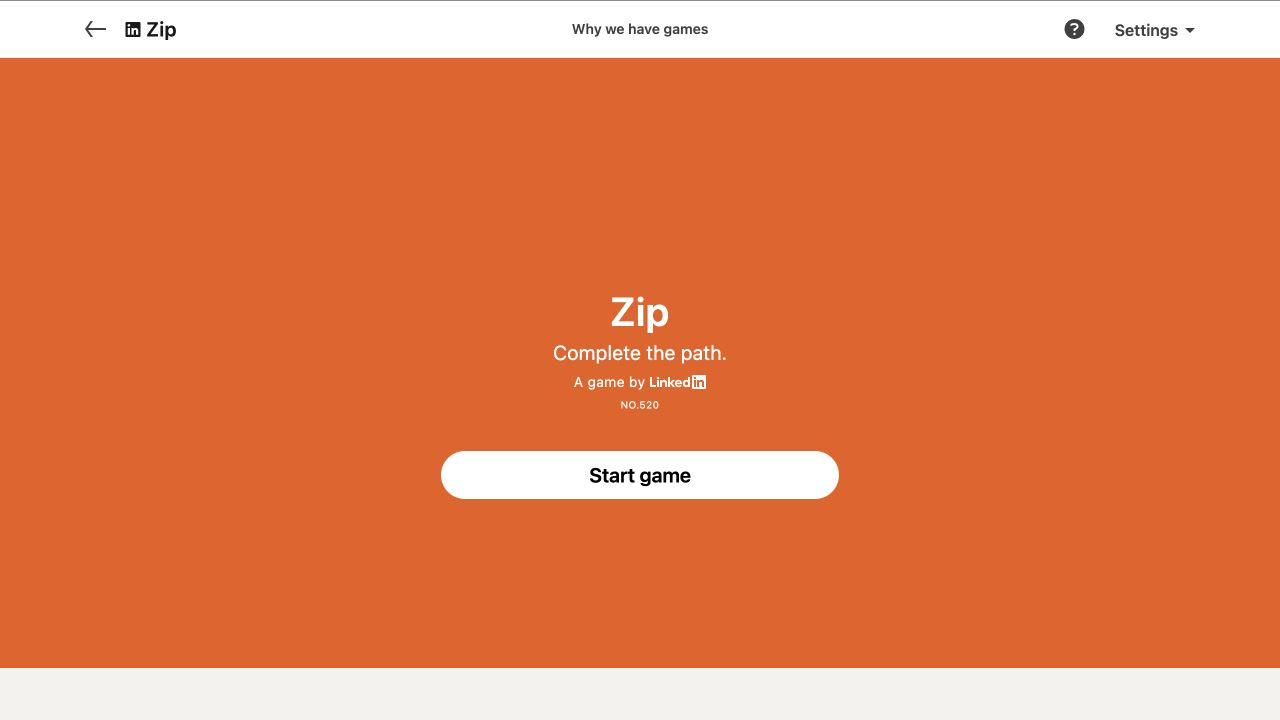
LinkedIn Zip official start screen
Official LinkedIn Games start screen, captured August 2026.

What is Zip?

Platform
Web
Access
Official LinkedIn link
Schedule
Daily at midnight PT
Session
1–5 minutes

Zip is a daily path puzzle: draw a single line that visits the numbered dots in ascending order while passing through every cell on the board exactly once. Simple rules, surprisingly addictive routing.

LinkedIn Zip is a daily pathfinding puzzle with three requirements: draw one continuous route, visit numbered cells in ascending order, and cover every cell on the board. Some puzzles add walls between cells that the route cannot cross. The rules look like connect-the-dots, but the fill-every-cell condition turns each move into a spatial commitment. A route can reach all the numbers and still fail because one blank square has been sealed away.

The best LinkedIn Zip strategy is to plan constrained areas before tracing a long line. Corners, narrow corridors, walls, and numbered checkpoints create forced entrances and exits. Reading those constraints first reduces the backtracks recorded in the shared result. This guide explains how to play Zip, how to spot route traps, and how to improve without publishing or recreating the solution to today’s board.

Core rules

  1. 1Draw one continuous path through the grid.
  2. 2Visit numbered cells in ascending order.
  3. 3Fill every cell exactly once without crossing your route.

Zip strategy guide

Plan a single route through every cell, connect numbered checkpoints in order, and reduce backtracking on LinkedIn Zip.

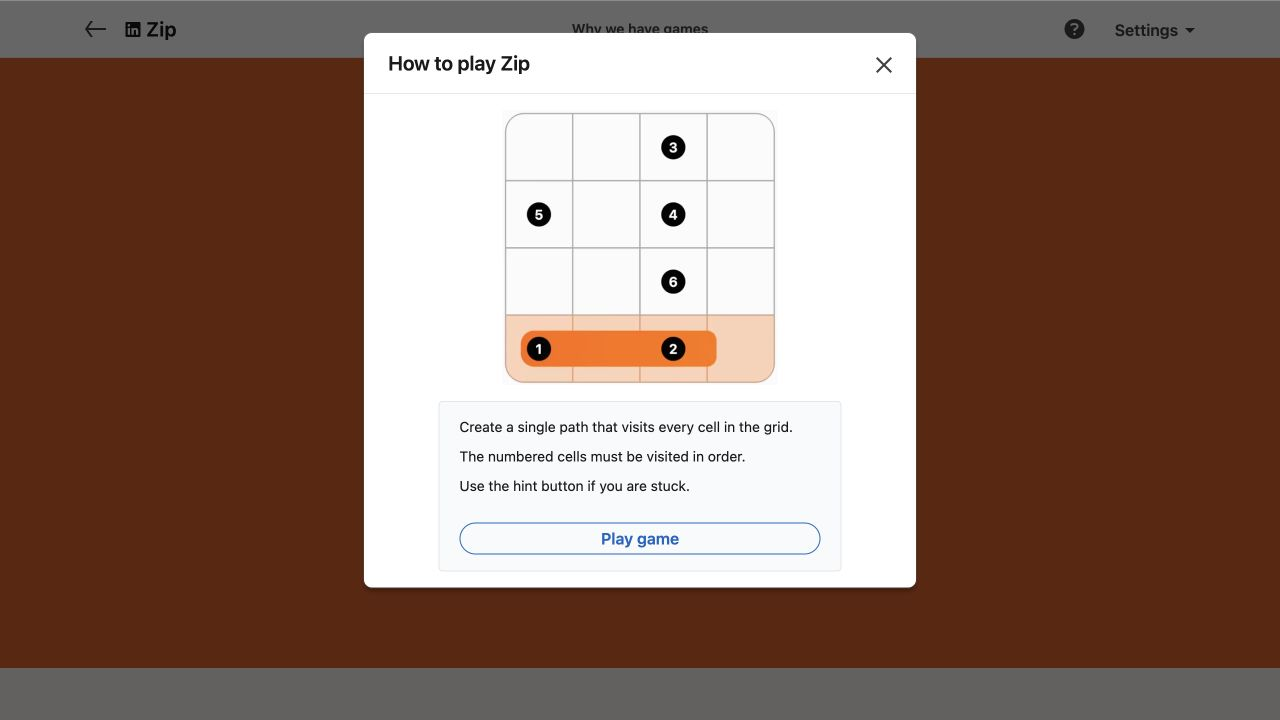
The official tutorial image shows the real game interface and an example puzzle, without revealing today's solution.

LinkedIn Zip official tutorial showing the real game board
Official LinkedIn gameplay tutorial
1

Map the checkpoints before drawing

Start by locating 1, the final number, and every checkpoint between them. Imagine the board as segments: 1 to 2, 2 to 3, and so on. Each segment must use available cells without stealing space needed later. A pair of consecutive numbers placed close together may still require a long detour if direct travel would isolate a corner or block the only route into another region.

Check whether a numbered cell sits on an edge, in a corner, or beside walls. Unless it is the start or finish, the completed path normally needs one entrance and one exit. Limited access can force the directions used around that checkpoint. Solving these local connection requirements first gives the broader route a stable skeleton instead of making the entire board one large guess.
2

Protect corners and one-way pockets

Every ordinary blank cell on the final route needs two connected neighbours. A corner has only two possible neighbours to begin with, so using one of those edges incorrectly can strand it permanently. Inspect corner cells that are not numbered and decide how the path can pass through them. Walls create similar pockets with only one viable doorway, and that doorway may need to be reserved until the route reaches the correct numbered segment.

Before closing a loop-like shape or crossing a narrow neck, count the unvisited cells on both sides. Your route cannot jump or branch, so every remaining area needs a future entrance and exit unless it contains the final endpoint. This connectivity check is the most useful defence against late failure. It is faster to pause for two seconds than to erase half a completed path.

3

Reason backward as well as forward

Although play begins at 1, analysis does not have to. The final number often lies in a constrained location and can reveal the direction of the closing segment. Work backward mentally from the finish until you reach a flexible area, then compare that plan with the forward route. If both ends demand the same corridor at incompatible times, an earlier segment must take a different path.

The same method works between any two checkpoints. When 4 and 5 sit near a wall, sketch the likely approach to 5 before drawing out of 4. Alternating forward and backward reasoning prevents a greedy route from consuming the only legal approach. You are not drawing two paths; you are reserving structure for the one path that will eventually connect everything.

4

Use parity and cell counts on harder boards

On checkerboard-coloured grids, each move alternates colour. The number of cells in a required segment therefore affects which colours its endpoints can occupy. You rarely need formal parity calculations, but a quick count can reject a seemingly neat detour. If two checkpoints require an odd number of moves between them, their cell colours must differ; an even number returns to the same colour.

Cell counts also expose undersized or oversized pockets. If a corridor between consecutive numbers has only one entrance and contains six cells, the route must allocate enough steps to cover them before leaving. This kind of accounting is especially helpful when walls appear. Treat each walled chamber as a small path puzzle whose solution must connect cleanly to the rest of the board.

5

Reduce backtracks without chasing the timer

LinkedIn lets you erase by dragging back to an earlier cell, use Undo, Clear the board, or request a Hint that removes the route up to the first error and reveals the next correct step. A shared Zip score can show completion time, number of backtracks, and no-hint or no-backtrack labels. This makes route quality visible as well as speed.

For better results, delay the first drag until you have inspected every constrained zone. Then draw in short, verified segments rather than one continuous flourish. After passing a number, glance at all remaining blank areas before continuing. New Zip puzzles arrive at midnight Pacific Time and old boards expire, so build a repeatable planning habit instead of memorizing yesterday’s geometry.

Common mistakes to avoid

These are rule misunderstandings and decision habits that create most avoidable errors.

Taking the shortest path

The direct route between two numbers may leave uncovered cells behind. Zip rewards complete coverage, not geometric efficiency.

Sealing a blank cell

A cell trapped behind the existing line cannot be recovered unless you backtrack, because the path cannot branch or cross itself.

Ignoring walls

Bold boundaries are impassable. Plan how the route enters and exits each walled area before committing nearby cells.

Planning only from 1

The final number and constrained later checkpoints often reveal route structure that should influence the opening segment.

Zip FAQ

Quick answers about rules, access, reset time, and score sharing.

What are the rules of LinkedIn Zip?

Draw one continuous path beginning at 1, visit all numbered cells in ascending order, fill every grid cell, and never pass through a wall.

Can a Zip path cross itself?

No. The route must be a single non-branching path through the board. Reusing or crossing an occupied cell would violate the fill-once structure.

How do I erase a mistake in Zip?

LinkedIn says you can click, tap, or drag back to an earlier cell. Undo reverts the last move, while Clear removes the route so you can restart.

What does a Zip share score include?

The shared result may show solve time, the number of times the route was backtracked, and labels such as no backtracks or no hints.

When does LinkedIn Zip reset?

A new Zip puzzle is released at midnight Pacific Time each day. The previous puzzle expires and is no longer playable from the regular game page.

Ready to play Zip?

Rules are checked against LinkedIn Help, and this guide never publishes today's clues, grid, path, or answer.

Spoiler-free by design